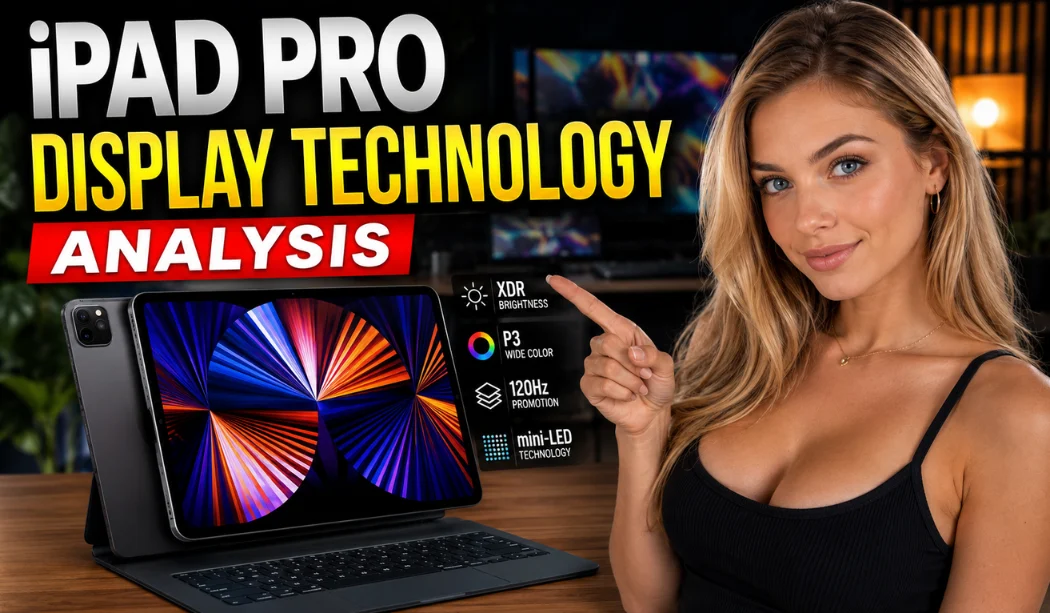
iPad Pro Display Technology Analysis: Why It Looks So Good
Have you ever looked at a tablet screen and thought, "Wow, this looks better than real life"? That is exactly what happens when you turn on the newest iPad Pro. Apple completely changed the game by moving away from old screen types. They created something truly beautiful. Whether you love watching movies, drawing, or playing games, this screen will blow your mind. Let us dive deep into the ultimate iPad Pro Display Technology Analysis to see exactly how Apple made this magic happen.
What makes iPad Pro display special?
If you are wondering what makes iPad Pro display special?, the answer lies in a brand-new invention called Tandem OLED. In the past, screens used one layer of glowing lights. Apple decided that was not bright enough. They stacked two OLED screens right on top of each other!
This double-layer design gives you the absolute best of both worlds. You get the deepest blacks because each pixel can turn completely off. At the same time, you get jaw-dropping brightness that makes colors pop like never before. It feels like looking through a clean glass window.
Why is iPad Pro display so good?
So, why is iPad Pro display so good? It comes down to incredible engineering and extreme brightness numbers. Normal tablet screens look dark and blurry when you take them outside into the bright sun. The iPad Pro fixes this completely.
- Full-Screen Brightness: It reaches 1,000 nits of brightness across the whole screen.
- Peak HDR Brightness: It pumps out a massive 1,600 nits for special HDR videos and movies.
Expert Insight: "By stacking two OLED panels, Apple solved the biggest historical flaw of organic displays: limited brightness. This tablet achieves luminance levels that rival high-end studio reference monitors." — Display Engineering Specialist Opinion
Read also: iPad Pro For Business Professionals: Top 10 Benefits in 2026
Top 10 iPad Pro Display Technology Analysis
To truly understand this screen, we need to break down the Top 10 iPad Pro Display Technology Analysis features. These ten points prove why this device stands alone at the top of the tech world:
- Tandem OLED Stack: Dual layers create unparalleled brightness and contrast.
- 2,000,000:1 Contrast Ratio: The difference between the brightest white and darkest black is massive.
- ProMotion Technology: Super smooth movement that adapts instantly to what you do.
- P3 Wide Color Gamut: Gives you access to millions of vivid, true-to-life color shades.
- True Tone Testing: The screen changes its warmth based on the light in your room.
- Nano-Texture Glass Option: A special etched glass that stops reflections without losing sharpness.
- Ultra Retina XDR Branding: Apple’s highest tier certification for premium mobile screens.
- Incredible Energy Efficiency: The M-series chips keep the screen running without draining your power.
- Custom Calibration: Every single tablet is tuned perfectly at the factory before it boxes up.
- Advanced Burn-In Prevention: Software and hardware work together to stop permanent ghost images.
iPad Pro display technology analysis explained
When we look at the iPad Pro display technology analysis explained simply, we see how Apple changed their Apple display technology evolution. For years, Apple used LCD and Mini-LED screens. While Mini-LED was bright, it suffered from "blooming," where white text on a black background showed a weird glow.
By switching to Tandem OLED, every single pixel creates its own light. This means no more annoying glowing halos around text. It offers a perfect Apple tablet display comparison victory over older models like the iPad Air, which still uses a standard LCD panel.
How does ProMotion technology work?
Let us talk about speed! A big question users ask is, how does ProMotion technology work? Your standard phone or television screen refreshes its image 60 times every single second. This is called a 60Hz refresh rate.
The Apple iPad Pro display refresh rate explained simply means it can double that speed up to 120Hz! When you scroll through websites or sketch with the Apple Pencil, everything feels instantly responsive. There is zero lag. Even better, when you look at a still photo, the screen drops down to 10Hz. This smart trick saves massive amounts of battery power.
How Apple calibrates iPad Pro display colors
If you are a professional photographer or painter, color accuracy is everything. The secret behind the gorgeous screen is how Apple calibrates iPad Pro display colors. During assembly, high-tech sensors check every display. Apple saves a custom profile directly into the chip. This ensures that a red apple on your screen looks exactly like a real red apple in your kitchen.
iPad Pro display performance benchmark results
In professional lab tests, the iPad Pro display performance benchmark scores are record-breaking. Testing groups like DisplayMate have highly praised Apple's calibration accuracy. The screen achieves near-perfect scores in color precision and viewable contrast under bright outdoor lighting. This makes it a dependable tool for Hollywood film editors and comic book artists alike.
Managing Your Screen: Troubleshooting and Lifespan
iPad Pro screen burn-in risk explained
Because this device uses organic material, the iPad Pro screen burn-in risk explained is an important topic. Burn-in happens when a static image stays on a screen for days at high brightness, leaving a permanent ghost image behind.
Thankfully, Apple uses smart protective software. The tablet subtly shifts pixels when you are not looking and tracks individual pixel wear. This advanced system keeps your display looking brand new for many years of heavy use.
Read also: Apple Magic Keyboard iPad Pro Guide: Pros, Cons, and Buying
iPad Pro display battery impact and troubleshooting
Does a screen this bright ruin your battery life? Surprisingly, the iPad Pro display battery impact is very low. Because OLED pixels turn completely off when displaying black, dark mode saves immense amounts of energy.
If you ever experience issues like a flickering screen, try these quick steps for iPad Pro display troubleshooting:
- Turn on Auto-Brightness to stop unnecessary power drain.
- Restart your device to clear out minor graphical glitches.
- Ensure your iPadOS is updated to the latest version to keep calibration tools running smoothly.
iPad Pro screen quality comparison and future rumors
When doing an iPad Pro screen quality comparison against competitors, Apple clearly wins on brightness and color tracking. Looking ahead, future OLED iPad Pro release rumors suggest Apple will bring this incredible tandem technology to other devices, including future iPad Air models and MacBooks.
FAQs About the iPad Pro Display
Can I use the iPad Pro in direct sunlight?
Yes! With a peak brightness of 1,600 nits and an anti-reflective coating, the screen remains perfectly visible outdoors.
Does the 120Hz refresh rate drain the battery fast?
No. Because ProMotion is adaptive, it drops down to 10Hz when the screen is still, actually saving battery life compared to regular screens.
What is Nano-Texture glass?
It is a premium glass option etched at a microscopic level. It scatters ambient light to eliminate glare while keeping contrast high.
Final Thoughts
The conclusion of our iPad Pro Display Technology Analysis is simple: this is the most advanced mobile screen on earth. By combining double-layer Tandem OLED with intelligent software, Apple has created a device that is perfect for casual users and creative professionals alike. It is bright, fast, color-accurate, and built to last.
.